Navigating Resources

1
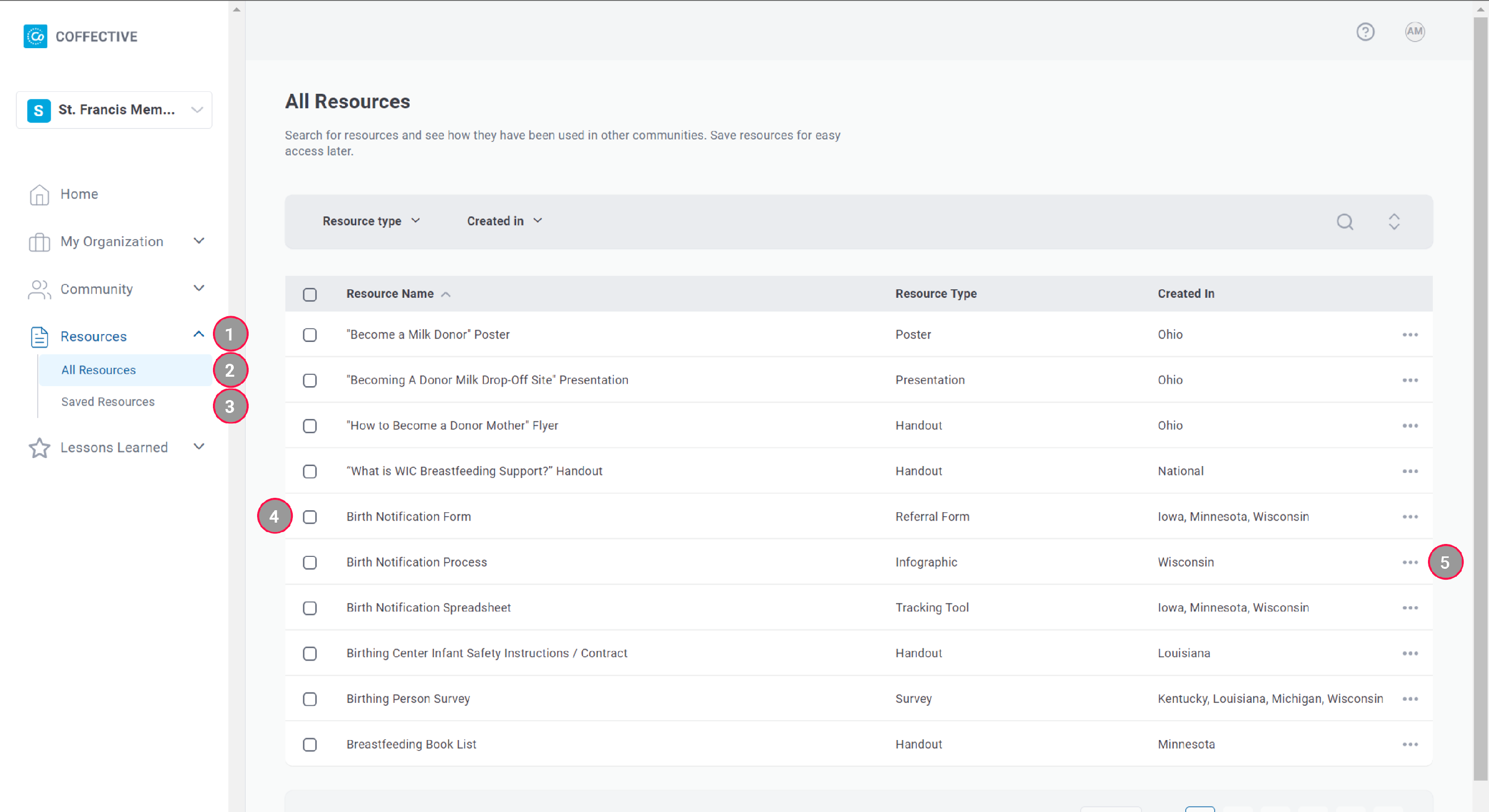
Resources - Expand to find All Resources and Saved Resources.
2
All Resources - Explore resources shared by national, state, and local organizations and resources developed by Coffective.
3
Saved Resources - Access and manage resources you saved.
4
Checkboxes - Use the checkboxes to save many resources at once. If the checkbox is already marked, this means you've saved the resource.
5
(...) - Here is where you can save or remove a saved resource, one at a time.
Get a full tour of the dashboard!
Did this answer your question? Thanks for the feedback There was a problem submitting your feedback. Please try again later.

Still need help? Contact Us Contact Us