
Save Lessons Learned
There are three ways to save lessons learned you'd like to easily revisit in the future.
Save Multiple Lessons Learned, from Listing Page
- In the left navigation sidebar, click Lessons Learned to expand the section.
- Click All Lessons Learned.
- Locate the lessons learned you want to save.
- Click the checkboxes next to the names of the lessons learned. An action bar will appear at the bottom of the screen.
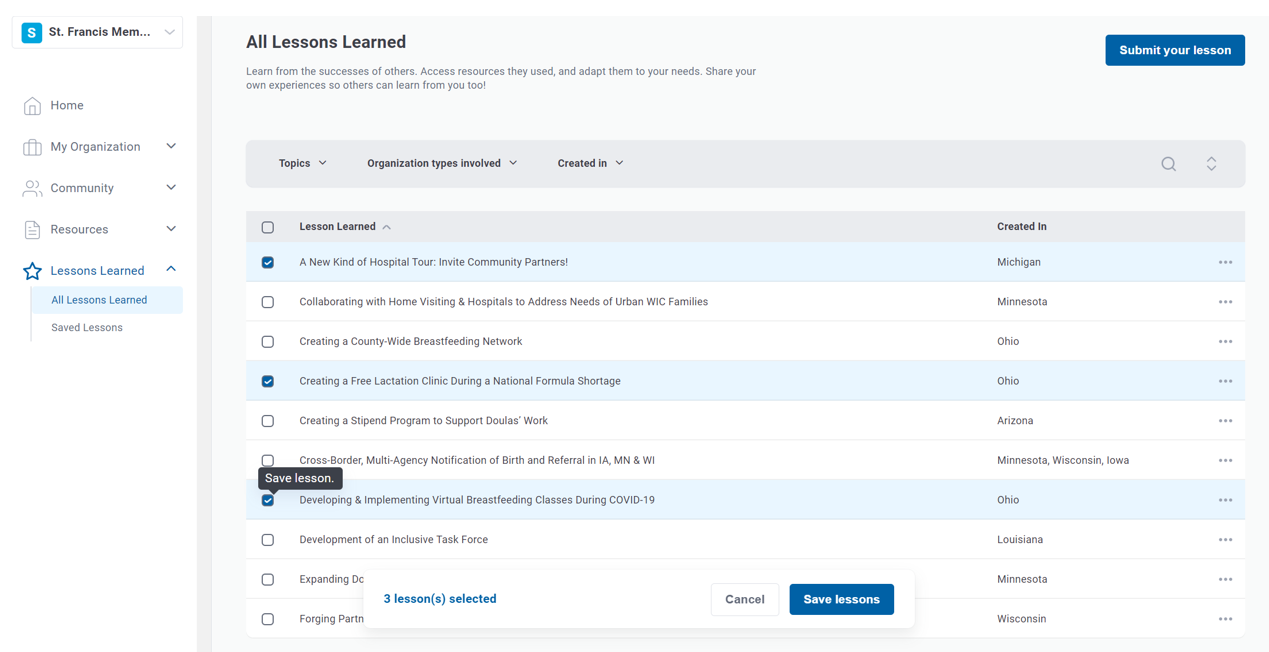
- Click Save lessons(s).
Save One Lesson Learned, from Listing Page
- In the left navigation sidebar, click Lessons Learned to expand the section.
- Click All Lessons Learned.
- Locate the lesson learned you want to save.
- Hover over the ellipses (...) in the resource row.
- Click Save lesson from the dropdown.

Save from Lesson Learned Page
- From the details page of a lesson learned, click Save lesson in the upper right corner.

