Edit Organization Profile
Admins Only: You must be an Administrator for your organization to edit your organization's profile information.
Navigate to My Organization Profile
1
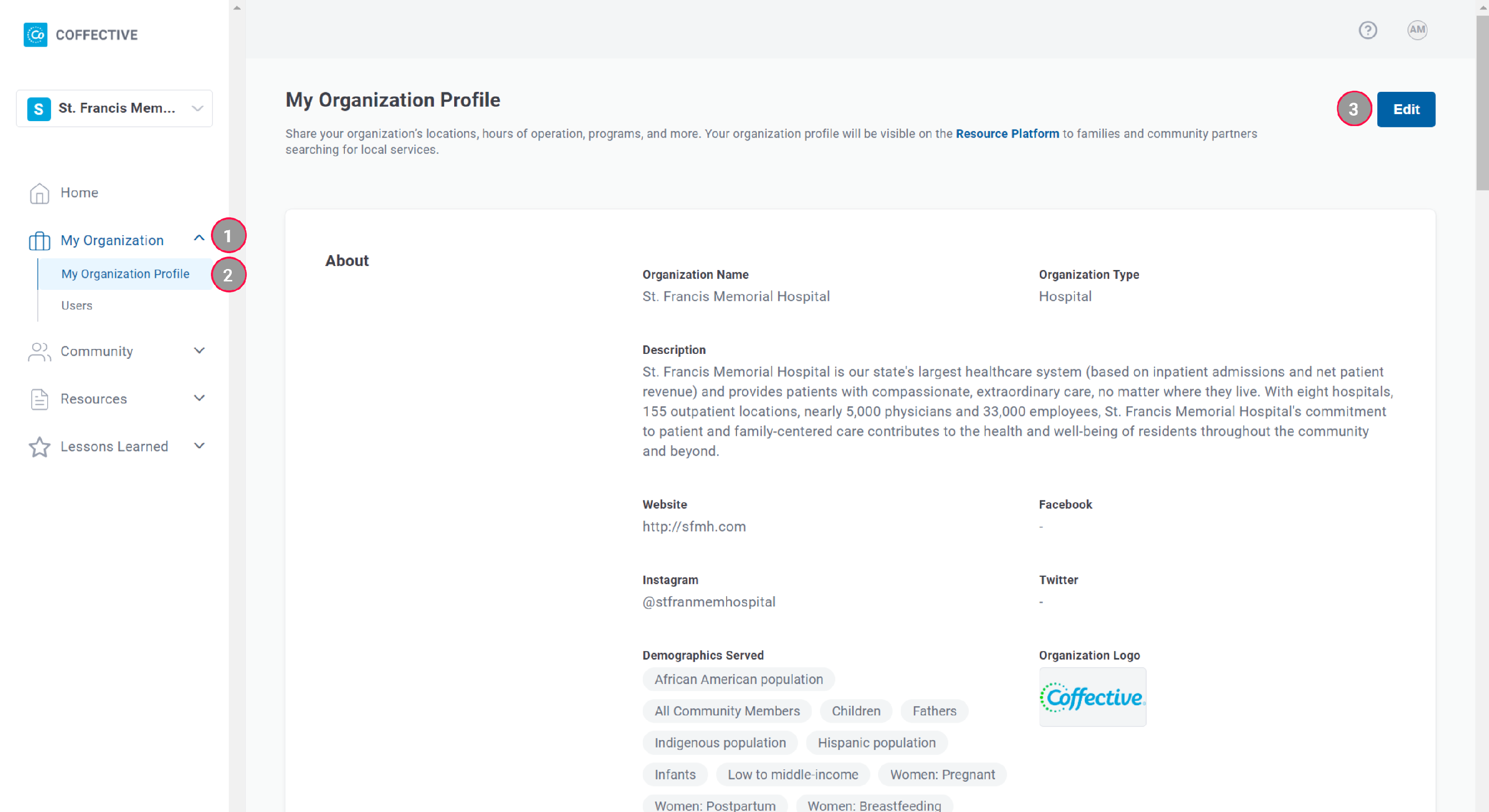
My Organization - Expand to find My Organization Profile.
2
My Organization Profile - All users can view the profile of the organization they are associated with.
3
Edit - Only Administrators have the ability to edit their organization profile and will see this button.
Edit Profile
- In the left navigation sidebar, click My Organization to expand the section.
- Click My Organization Profile.
- In the upper right corner, click Edit.
- Update your organization profile information.
- Click Save.
Good to Know: You'll be notified if you have unsaved changes. You'll be prompted to continue editing or to save changes and exit.
Did this answer your question?
Thanks for the feedback
There was a problem submitting your feedback. Please try again later.
No results found

