
Create New Organization
Request to Create New Organization
-
In the left navigation sidebar, click the organization dropdown to expand.

-
Click Request to create new organization.

-
A pop-up will appear. Fill in the organization name, organization type, and state.
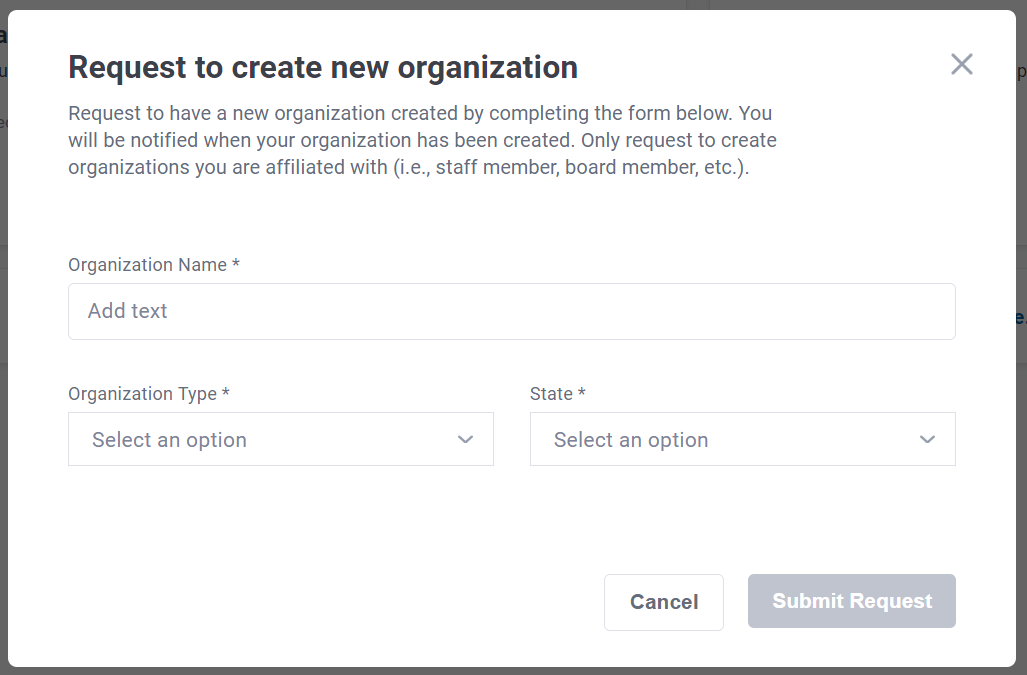
- Click Submit.
- Coffective Support will review your request, and you will be notified when your organization has been created.
Good to Know:
- If the organization already exists in the system, Coffective Support will let you know.
- Only request to create an organization you are affiliated with (i.e. you are a staff member, board member, etc.).