Navigating Users
Admins Only: You must be an Administrator for your organization to see the Users section in your dashboard.
- 1
-
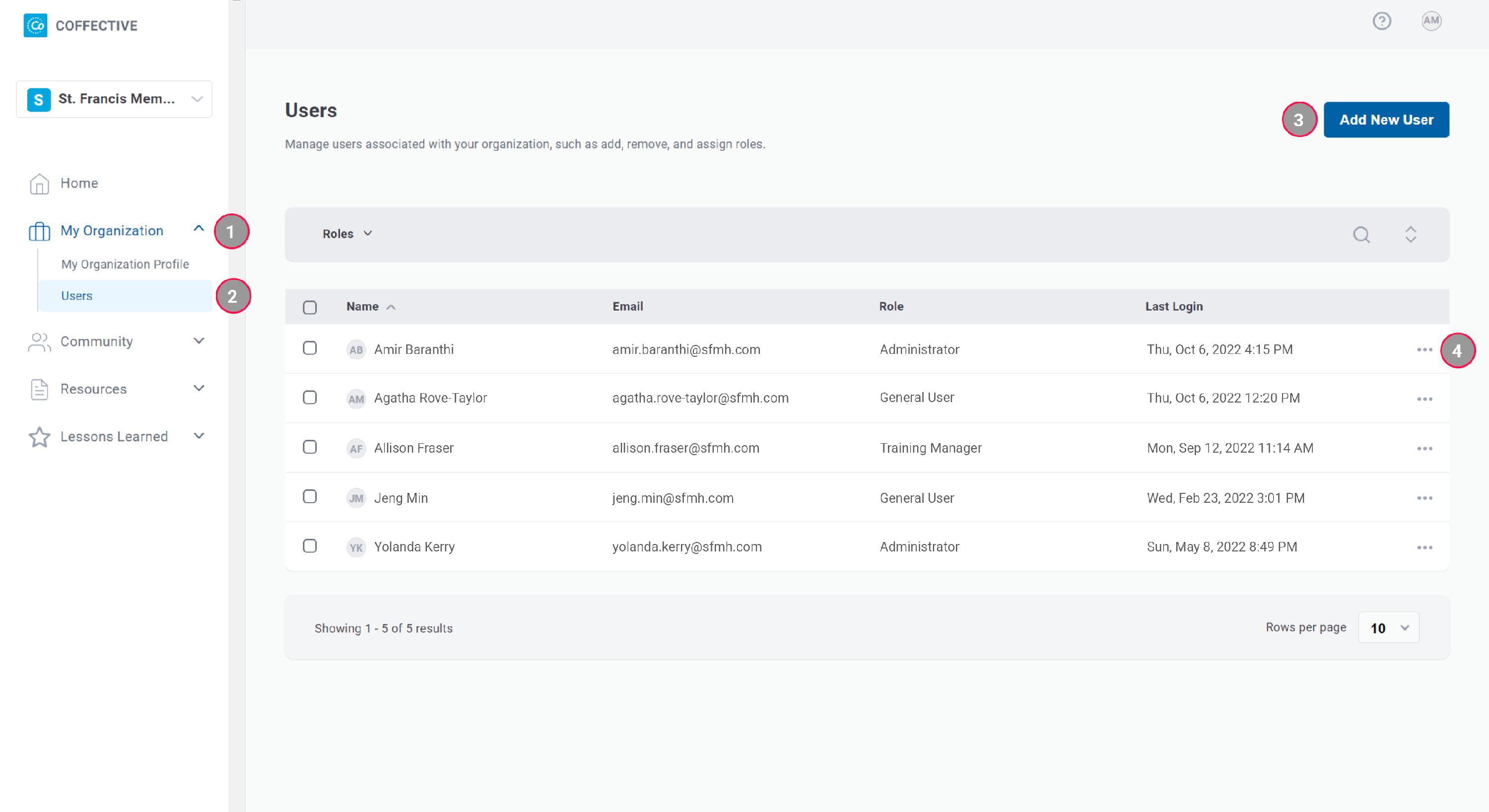
My Organization - Expand to find the Users section.
- 2
-
Users - Administrators can see this section in their left navigation bar. Go here to manage users associated with your organization.
- 3
-
Add New User - Exactly what it says! Go here to add people to your organization.
- 4
-
(...) - Here is where you can change a user's role or remove them from your organization.
Did this answer your question?
Thanks for the feedback
There was a problem submitting your feedback. Please try again later.
No results found

