Navigating Community
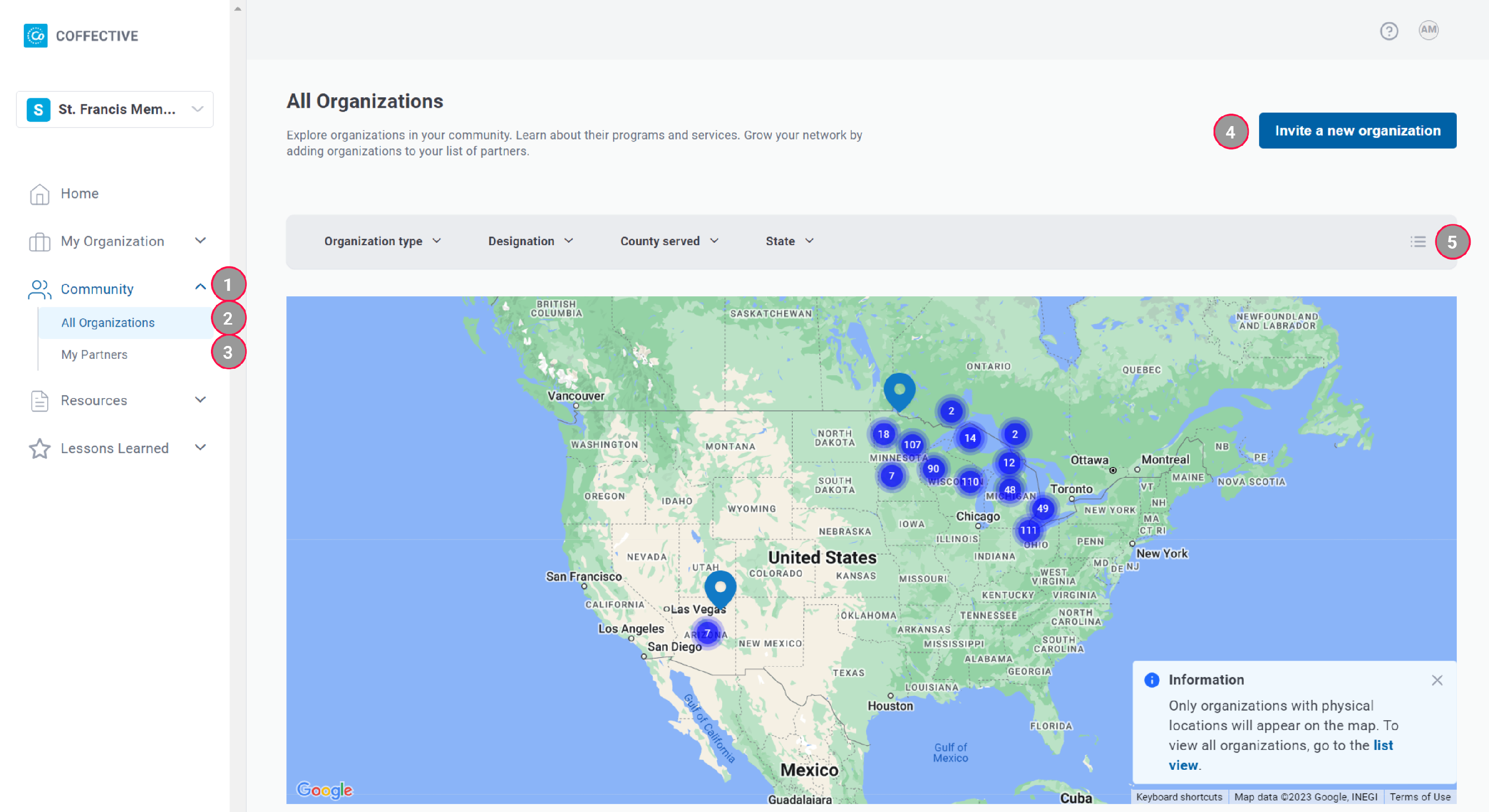
Map View
 1
Community - Expand to find All Organizations and My Partners.
2
All Organizations - Explore all organizations that have an organization profile.
3
My Partners - Organizations you added to your list of partners will appear here.
4
Invite a New Organization - Invite an organization you are not affiliated with to access the Coffective dashboard by creating a user account.
5
View Toggle - Here is where you can toggle between the two ways to explore organizations: map view and list view.
1
Community - Expand to find All Organizations and My Partners.
2
All Organizations - Explore all organizations that have an organization profile.
3
My Partners - Organizations you added to your list of partners will appear here.
4
Invite a New Organization - Invite an organization you are not affiliated with to access the Coffective dashboard by creating a user account.
5
View Toggle - Here is where you can toggle between the two ways to explore organizations: map view and list view.
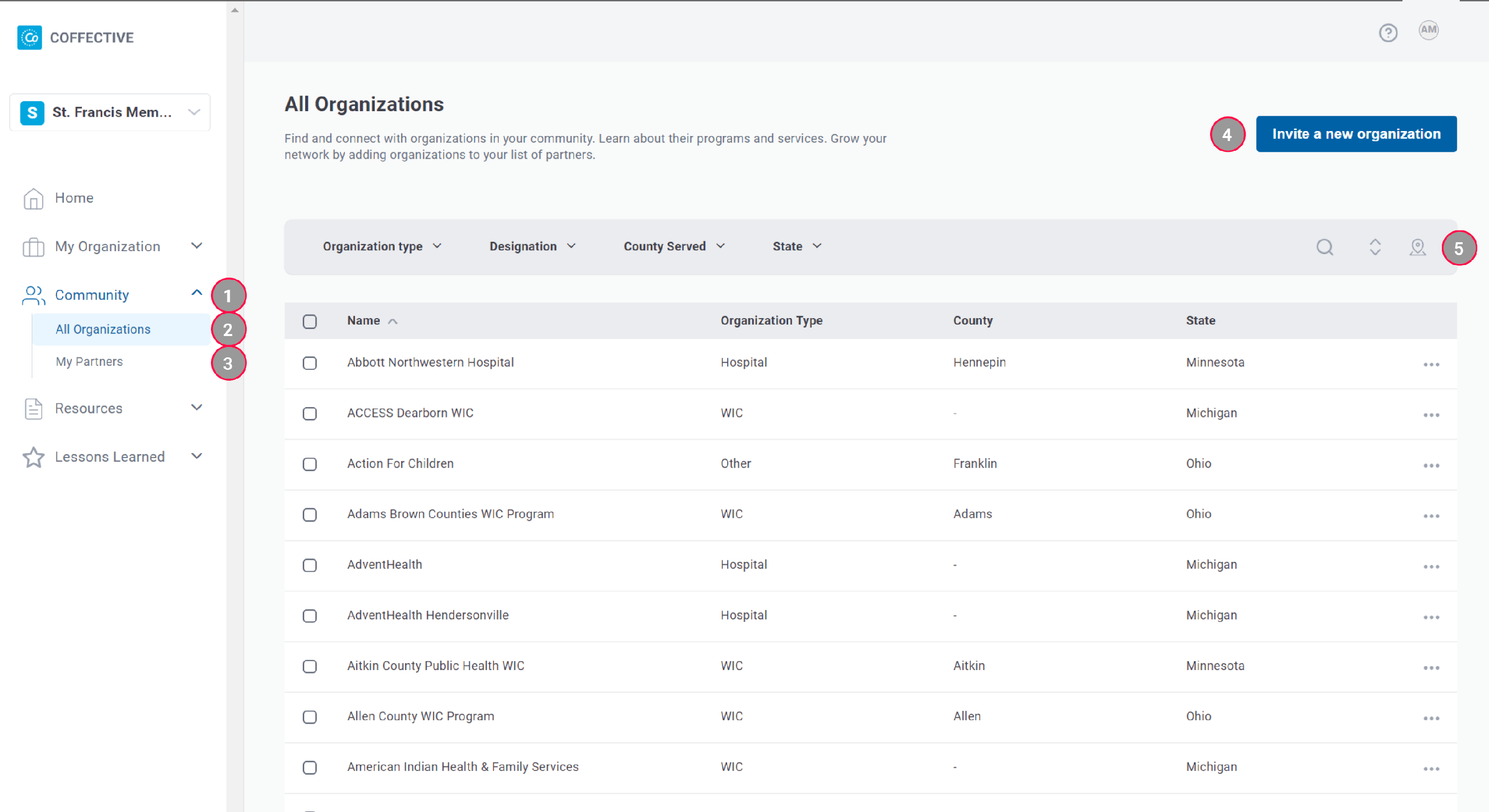
List View
 1
Community - Expand to find All Organizations and My Partners.
2
All Organizations - Explore all organizations that have an organization profile.
3
My Partners - Organizations you added to your list of partners will appear here.
4
Invite a New Organization - Invite an organization you are not affiliated with to access the Coffective dashboard by creating a user account.
5
View Toggle - Here is where you can toggle between the two ways to explore organizations: map view and list view.
1
Community - Expand to find All Organizations and My Partners.
2
All Organizations - Explore all organizations that have an organization profile.
3
My Partners - Organizations you added to your list of partners will appear here.
4
Invite a New Organization - Invite an organization you are not affiliated with to access the Coffective dashboard by creating a user account.
5
View Toggle - Here is where you can toggle between the two ways to explore organizations: map view and list view.
Did this answer your question?
Thanks for the feedback
There was a problem submitting your feedback. Please try again later.
No results found
